Section Fullscreen Media Product is designed with a single media element that takes up the entire screen space. Inside it, there is the content area and a product displayed on the side, overlapping the media. The purpose is typically to use it to showcase featured products that you want to present to your customers.
Add section to theme
Log in to your Theme editor and navigate to the page you would like to display this section.
You'll see a list of available sections on the left-hand side. Locate the Add section button and click on it.
From the list of available sections, find and select Bundle Product.
Section setup:
SECTION SETTINGS
01Media typeChoose to use Video or Image
02Overlay opacityOpacity of the overlay
03Product color schemeColor palette applied to the product display section
04On ScrollAnimation applies to background media when scrolling the page
05Sticky ContentWhen you enable this feature, the content created from the block will be sticky.
06Swap media positionReverse the position of the product and the content
07Content PositionPosition of the content block
Create Content Block:
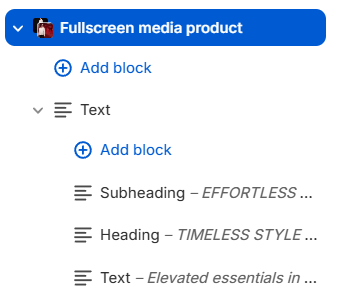
To create content, click Add block -> then select the corresponding block. To create content similar to the Radian demo, select the Text block -> by default, 3 blocks are already included: Subheading / Heading and Text created within the Text block. Select each block to customize the content and design.