
(...)-Loading article
Upsell is a block used in the Product Page, Quickview, and the Featured Product section. Its purpose is to sell additional products alongside the main item, making it easy to help increase sales revenue.
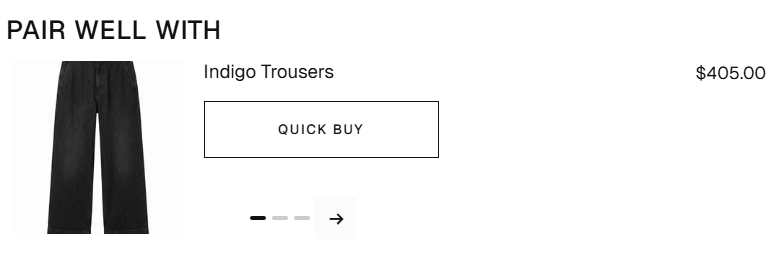
The default upsell is set to display on the Product Page and Cart Drawer. You can turn it off anytime, or simply don’t set up the upsell.
There are 2 ways to set up upsell
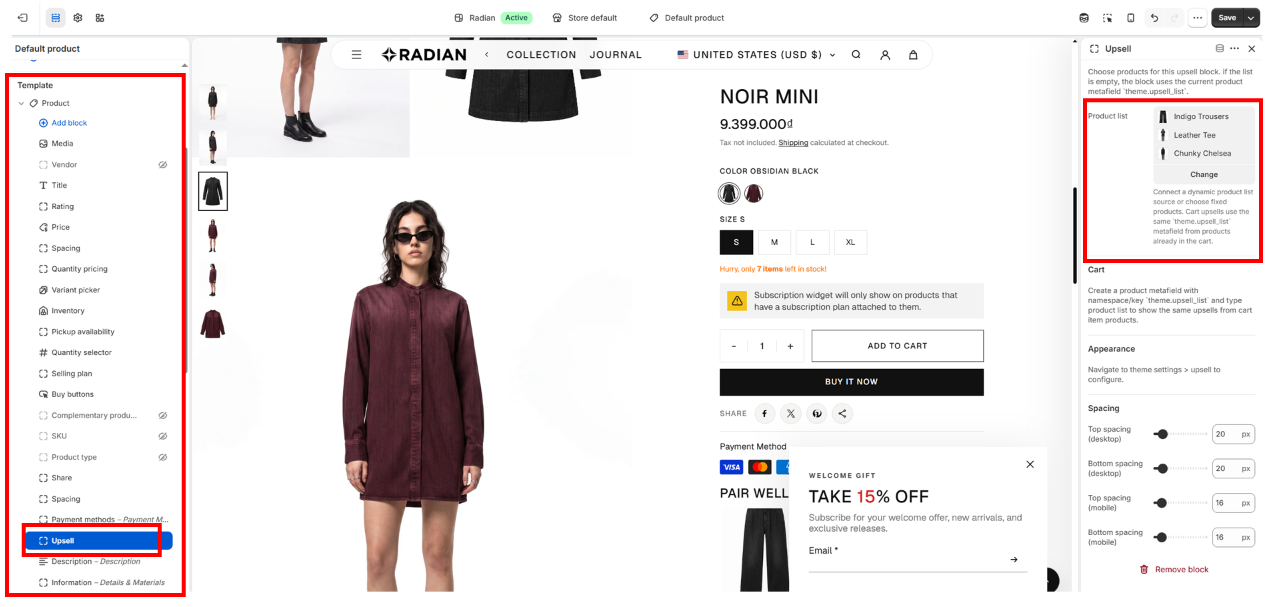
Go to Theme Editor -> select Homepage (if you’re not already on the Default Product page) -> select Product -> then select Default Product -> in the left panel of the Theme Editor, choose the Product section

Then scroll down and select block Upsell -> in the left panel -> in the Product list section -> select the products you want to display as upsells
To use the second method, we need to create metafields to use when creating/editing a product in the Shopify Admin
Go back to Shopify Admin —> select Settings —> select Metafields and metaobjects —> then select Products —> select Add definition to create the metafields
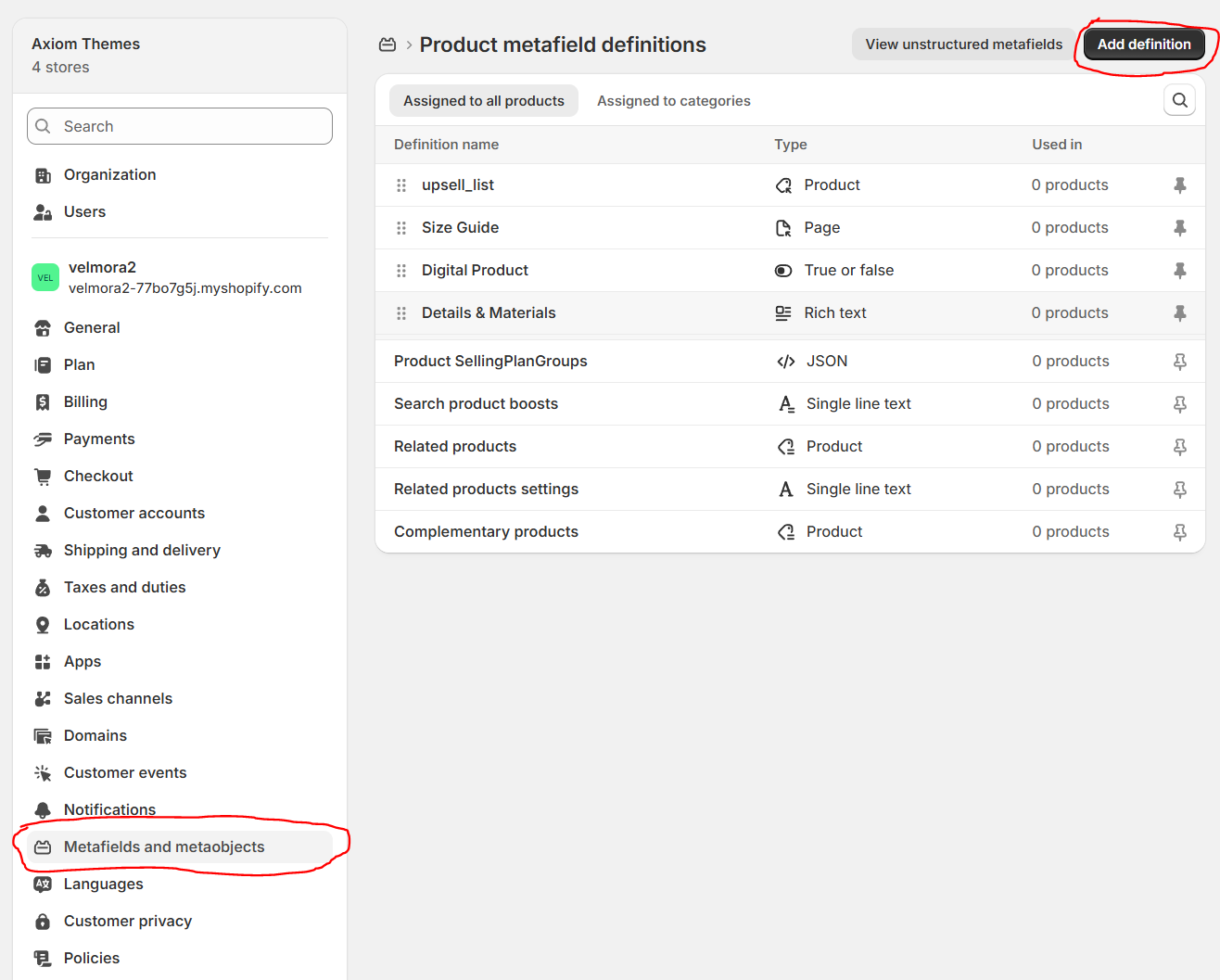
1 new page appears, set the value for the Name field to upsell_list, at this point, you will see that metafields have been created as custom.upsell_list; however, Radian requires that you set the exact name theme.upsell_list, so click on the custom.upsell_list name to edit custom.upsell_list into theme.upsell_list
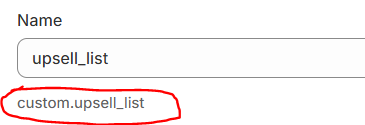
The image below is accurate
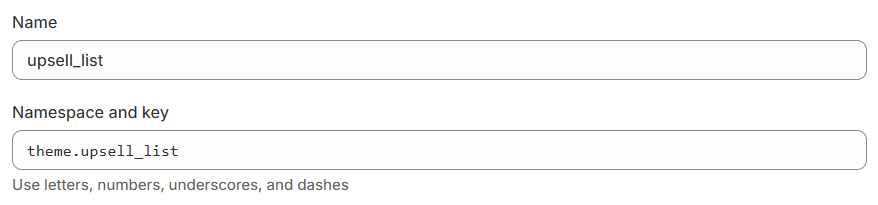
After creating the namespace for the metafields, go to Type -> and select Product from the dropdown list
After completing the steps, it will look like this
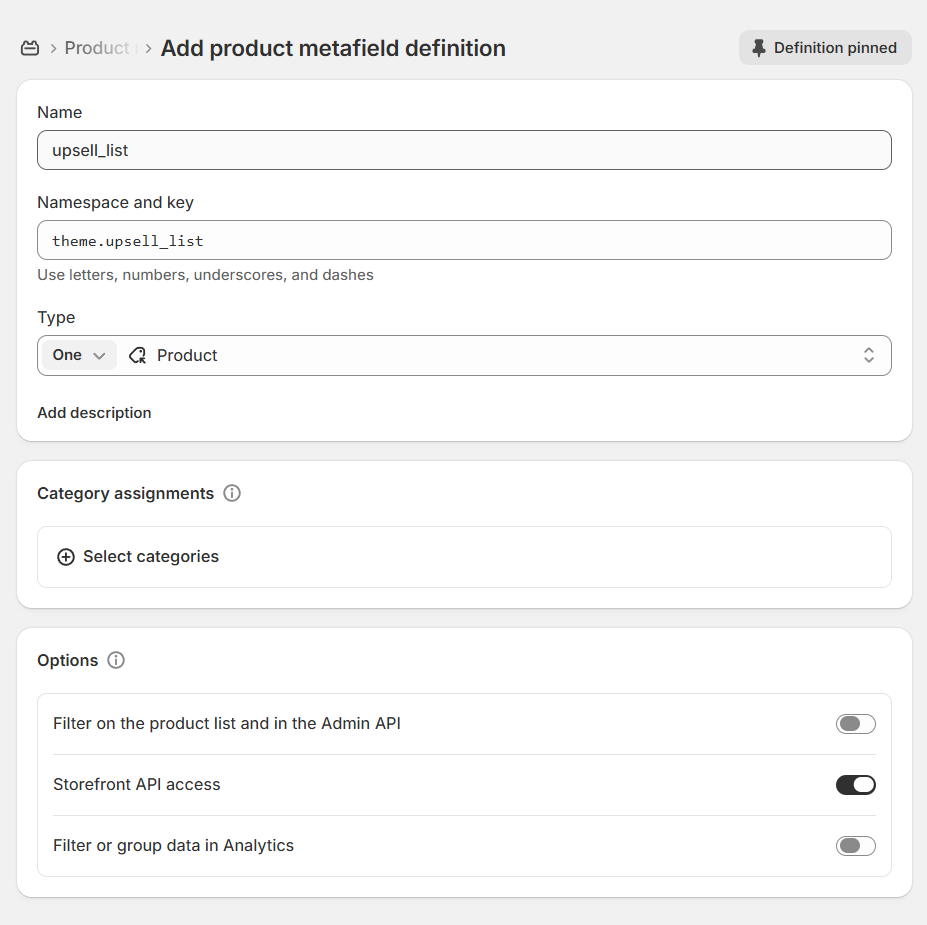
Press Save to finish creating the metafields
Then in Shopify Admin, go back to the Products menu to edit an existing product or create a new one. -> Scroll down to the bottom and you’ll see a Product metafields panel. Here, you’ll find an item called upsell_list, as shown in the image below
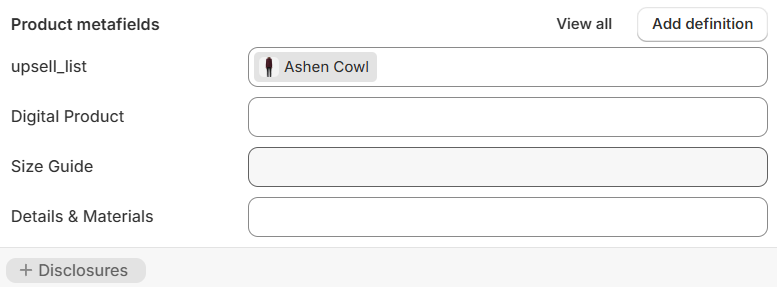
Click upsell_list -> here, then select the product you need to upsell within this product
To customize the Upsell design, go to Theme Editor -> Theme Settings -> and select Upsell
Available options:
If you don’t want to display upsells in the cart drawer, go to Theme Editor -> open Overlay on the left panel -> select the Cart Drawer section -> then turn off the Enable cart upsell feature