
(...)-Loading article
is a slide-out hamburger menu that moves horizontally when the user clicks it. We recommend using to display more detailed menus instead of the header
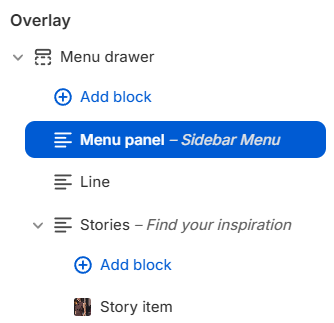
Menu Drawer section is created and configured in the Radian theme by default. However, if you can’t find it, go to Theme Editor -> scroll down, and under the Overlay group, you’ll see the Menu Drawer section. If you still don’t see it, click Add section -> then select Menu Drawer
In the Menu Drawer section, there are the configuration options below:
These fonts are set in Theme Settings -> Typography
To add the main menu to the drawer menu, go to Menu Drawer section -> select Add block -> then choose the Menu panel block
In the Menu panel block, select the menu you set up in Shopify Admin
If you're new to Shopify, learn how to create a menu here.
Shopify Help Center | Add, remove, or edit menu items in your online store →In addition to the main Menu Panel block for displaying the menu, there are also other blocks:
If you disable / or delete the Menu Drawer section, the burger menu on both desktop and mobile will use the header menu as a replacement