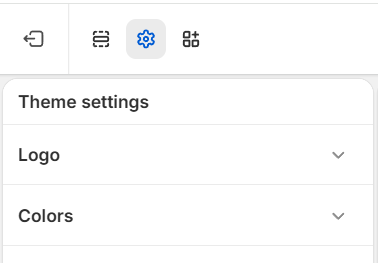
Sunday includes many settings that allow you to customize and personalize the overall look and feel of your store. To access the theme settings, click the gear icon in the top left corner of the theme editor.
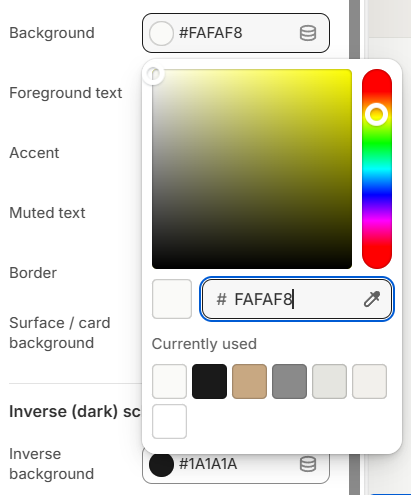
Sunday provides extensive controls for managing colors across the theme. These settings are organized into common categories, and each color can be selected using the color picker.
General
These settings apply to the bulk content and sections throughout the theme. Control the colors using the color picker beside each label.
Velmora provides extensive controls for managing colors across the theme. These settings are organized into common categories, and each color can be selected using the color picker.
General
These settings apply to the bulk content and sections throughout the theme. Control the colors using the color picker beside each label.
GENERAL SETTING
01BackgroundThis customizes the background color for your entire website.
02TextPrimary color text
03PriceColor for price on product page
04Product Grid PriceColors for the price in the product grid (e.g., in the Featured collection section)
05Save PiceColor for the saved amount after discount
06Lines & BordersAs the name suggests, these are places where components use lines or borders.
07ButtonsColor for primary buttons
08Button TextText color for primary buttons
09Sale TagsBackground color for Sale tag
10Sale Tag TextText color for Sale tag
11Cart DotDisplay color for the badge dot or counter when there are products in the cart
Header
These color settings are used for the header section and the announcement bar block. Select and customize colors using the color picker next to each label.
HEADER SETTING
01BackgroundBackground color for navigation
02TextText color for navigation
03Announcement BarBackground color for the Announcement Bar
04Announcement Bar TextText color for Announcement Bar
Footer
FOOTER SETTING
01BackgroundBackground color for footer section
02TextText color for footer section
Supporting Colors
SUPPORTING
01AccentThe main accent color for your entire website.